Case study
Building Mixr, a DJ app
DJ software can be intimidating. Mixr makes remixing easy by using familiar patterns from video editing apps.
Building the app was an experiment in designing by building: to see if I could close the design and engineering gap by designing as I go.
Recorded on simulator device.
01 — Problem
DJing shouldn’t require you being a DJ.
I wanted to learn to DJ, but I never learned music theory, played an instrument, or remixed a song. I did know how to code. So instead of buying a controller, I started building an app.
Question the Whole Project Answers
Can coding agents help me design and build software for something I know nothing about?
02 — Ideation
Choosing the right references.
More people have used video editors than DJ software.
I wanted to give beginners a familiar place to start. The reference was video editors like CapCut, Final Cut Pro, Premiere Pro, and GarageBand.
These products share a familiar interaction model: import media, arrange clips on a timeline, edit them directly, preview, and undo.
CapCut
Set the benchmark“As simple as CapCut” was in the first prompt. It gave me actions like split, duplicate, and delete that I needed to incorporate into timeline editing.
Premiere Pro
Shaped the intuitionWith a background in video editing, this was the editor I knew best. Drag-and-drop and the SFX (sound effects) library were all inspired by Premiere Pro.
GarageBand
Gave the unitTaught me to use the music’s unit rather than the clock’s. Transitions are measured in beats rather than seconds so timing aligns with tempo.
Asking AI for a starting point.
I started by asking ChatGPT for mocks. I find it has the best image generation capabilities and doesn’t return UI that looks AI-generated.
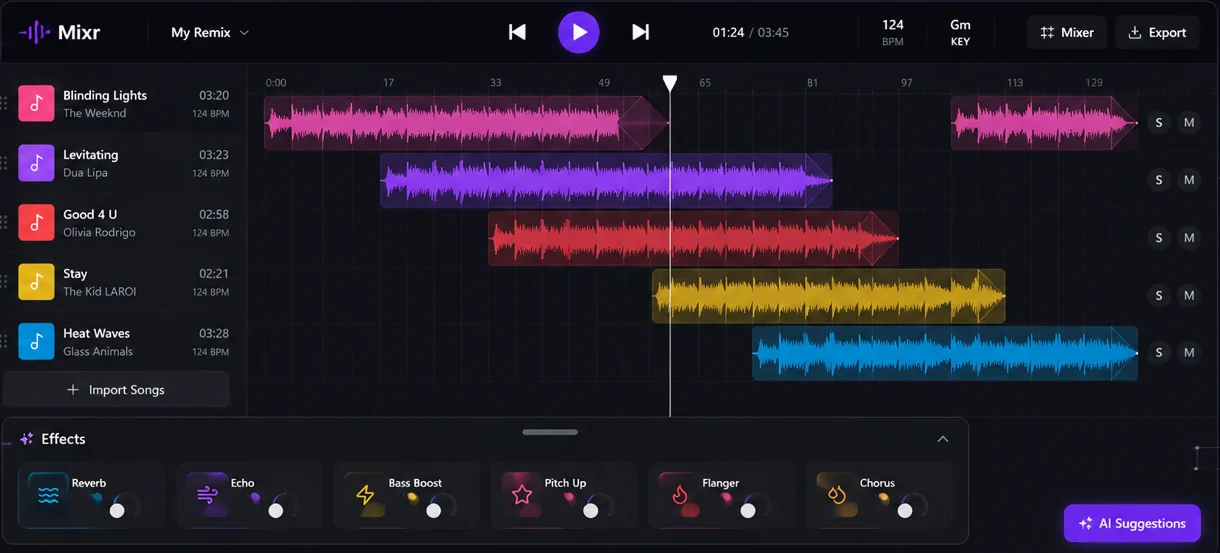
I knew what I wanted to change. “AI Suggestions” was a floating button and belonged in the effects tray. It should also be called “Auto” like iPhone photo editing. I had no idea what the “Mixr” button on the top would do, so it had to go.
But the layout was right, and I never looked back. Controls on the sides, timeline in the middle, effects along the bottom. It felt intuitive because it resembled video editing software, not a DJ’s.
The interface, today’s build
Recorded on simulator device. Each waveform gets its own color from the brand palette.
03 — Behavior
Making it feel familiar.
Trying not to get sued.
I considered copyright before designing anything. Mixr can’t stream from a library like Spotify, so the whole thing is built around import and export. You bring your own songs in and save your remix out.
Clip editing takes effort to feel effortless.
Deciding how drag-and-drop behaves took two days and was the hardest design work in the project.
I took inspiration from Premiere Pro (thank you, competitive research). When a clip is dropped in the middle, it splits the existing clip and gets sandwiched inside. When it’s dropped within 10px of the start or end, it snaps to the edge.
Recorded on simulator device.
Rebuilt in CSS from MixrTimeline.swift.
04 — Design
Subtle nuances elevated the design.
Tiny imperfections make the glass feel alive.
I varied bubble placement in the effects cards and let glow reflections spill onto neighboring cards. These subtle differences let the glass breathe and feel alive.
Rebuilt in CSS from EffectCard.swift. Auto has stronger colors to recommend it as a starting point.
Optical alignment over mathematical, always.
Each card gets a different glow strength, because darker colors appear dimmer and I wanted visual cohesion. Icons in the clip-editing toolbar get different sizes and vertical offsets because their shapes carry different visual weight.
Each effect gets its own slider and/or preset option
Recorded on simulator device.
- ReverbAdds space as if in large room or hall.
- EchoRepeats as if shouting into a canyon.
- PitchSound higher like a chipmunk or lower like a man.
- FlangerAdds a sweeping, whooshing sound.
- BlurSoft and muffled, as if underwater.
Other effects I considered were Warmth, Chorus, and Bass Boost. I chose this set because they each had distinct impact on audio and allowed room for experimentation.
Colors carry across components.
One color per track. The same color follows across the waveform, volume slider, transition settings, and segmented control. This helps users understand the components go together.
Waveform, Transition duration control, Volume slider
Tip: Create a design system before anything else. Tokenize colors to reference them easily throughout building.
05 — Coding Agents
How I worked with coding agents.
I religiously used Plan Mode.
For big tasks, I used Plan Mode. No code changes until I reviewed and approved the plan. I used this heavily for my last two phases: responsive layout and accessibility testing. Auditing stopped agents from undoing previous work and changing components I already finalized.
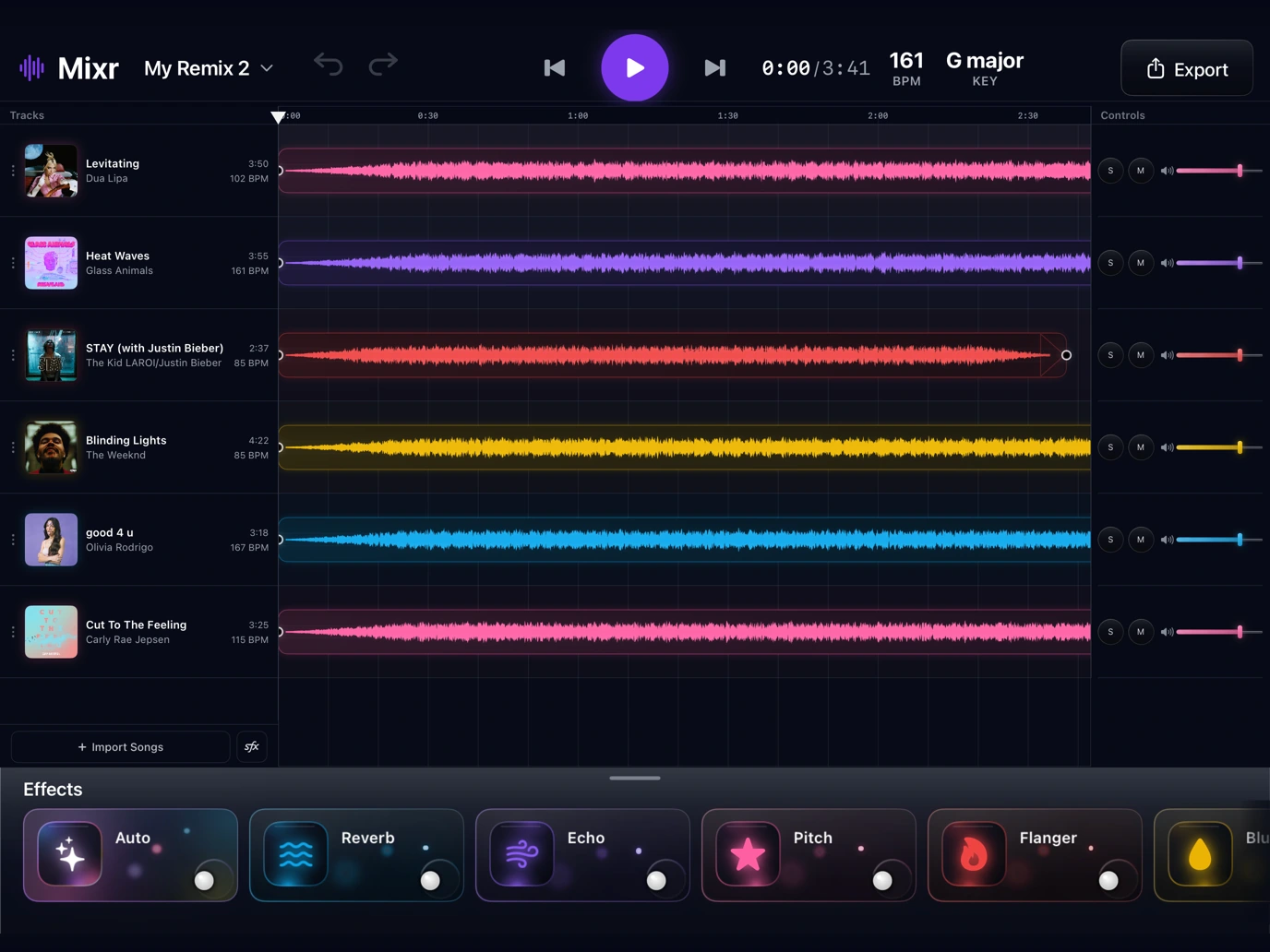
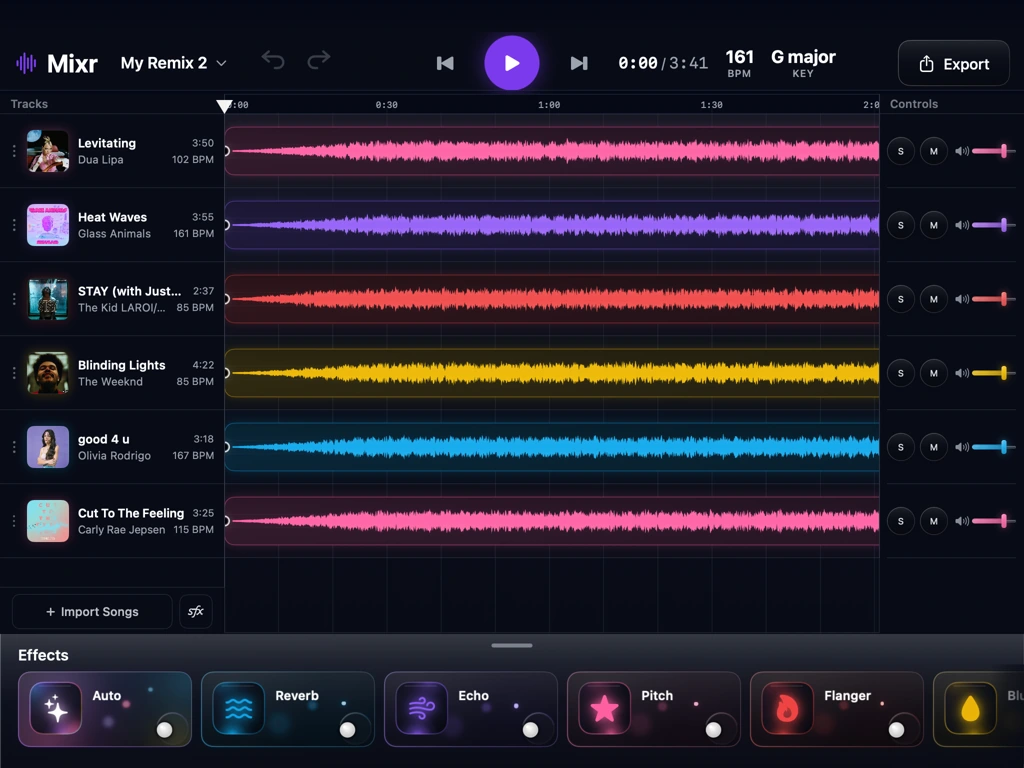
One focus per agent.
I started a new chat for each major component like effects cards, drag-and-drop, SFX, etc. Each agent had less to remember. It stayed focused and learned that component’s behavior in depth.
Skills and lint rules.
An agent is a jack of all trades, master of none. Unless you use skills. Skills train agents to become experts at certain tasks. I used skills for SwiftUI and motion. I created a custom skill for Auto remixing so my agent has a DJ brain.
Lint rules are gates the agent must always pass. Everytime I corrected an agent or intervened its output, I turned it into a lint rule so it never made the same mistake again.
06 — Results
Finished building, waiting approval.
The app is fully built. I’m now waiting for approval from the Apple Developer Program to release TestFlight Beta. Everything so far reflects my own judgment. The real test is whether other people can use and understand Mixr.
The intimidating part of learning a new skill is the interface scaring you away. Building Mixr taught me anyone can do it: not just DJing, but building an app. So get on a coding agent and make something that excites you!
🔗Read my Mixr journey on X This is also my first time coding in Swift! Coding agents are just that cool.